Charlottesville Church Event Sound Rental

Church sound-system rental in Charlottesville—planned for every spoken word and musical cue.

Build a temporary event-audio plan around the room, congregation, program, musicians, microphones, existing equipment, accessibility needs, and the people responsible for operation.

Check availability & get a quote →Compare packages
1-business-day responseClear next steps, without pressureVenue-specific planningCoverage, power, access, and timingCentral Virginia serviceCharlottesville and surrounding communities
Service planning

Choose the complete event solution—not one disconnected item.

Church services and special events can combine spoken word, soloists, choirs, bands, recorded music, readings, remote contributors, audience participation, and quiet reflective moments in one program. A useful rental plan therefore begins with the program and room rather than a generic speaker count. Blue Ridge Sound can scope temporary event sound, microphones, music inputs, setup, sound checks, and staffed operation for Charlottesville-area worship services and church events when the requested work fits the confirmed proposal. Permanent installation, livestreaming, electrical work, rigging, inventory, and specific equipment models are not implied unless they are expressly included.

Common uses

  • Special worship services, holiday programs, guest speakers, and milestone celebrations
  • Choirs, praise teams, soloists, acoustic ensembles, and visiting performers
  • Church fundraisers, community meals, lectures, workshops, and recognition events
  • Outdoor services, fellowship-hall programs, overflow spaces, and temporary stages
  • Spoken-word programs requiring microphones, music playback, and audience coverage
  • Equipment-only, setup-supported, or staffed audio when the written scope confirms it
Scope options

What can be included.

The final proposal confirms exact equipment, quantities, labor, delivery, operation, and teardown. Nothing is assumed from a generic package name.

  • A site and program review covering seating, platform, rooms, access, power, and sound limits
  • A confirmed loudspeaker and microphone plan matched to speech, music, and audience areas
  • Mixer inputs, playback sources, monitor needs, cable paths, stands, and connection responsibility
  • Load-in, setup, line check, rehearsal or sound check, operation, and strike when included
  • Backup paths, batteries, tested cables, file handoffs, cues, and named points of contact
  • A written proposal identifying inclusions, exclusions, timing, responsibilities, and next steps

Start with the program, not a package label

List every part of the service or event in order: prelude music, welcomes, readings, congregational responses, sermons, soloists, choir selections, band sets, video playback, announcements, audience questions, and dismissal music. Note who speaks or performs, where each person stands, whether they move, what they bring, and which moments cannot pause for troubleshooting. A short spoken-word service and a holiday production with a choir, musicians, playback, and overflow seating are different audio jobs even when they happen in the same room.

Share the program early enough to resolve input count, microphone type, stands, stage space, music connections, monitor mixes, cue responsibility, rehearsal time, and transitions. Identify any existing equipment that must remain in use and provide exact make and model information. Blue Ridge Sound confirms compatible rental equipment and services only after reviewing the full signal path; the page does not promise a particular console, microphone, loudspeaker, wireless channel count, or installed-system connection.

Map the room, seating, platform, and listening areas

A church event may use a sanctuary, chapel, fellowship hall, classroom, tent, lawn, parking area, or several spaces at once. Provide a floor plan or clear photos showing audience seating, platform depth, aisles, accessible routes, doors, reflective surfaces, balconies, low ceilings, existing loudspeakers, control positions, and approved equipment locations. Include expected attendance as a planning input, not as a guarantee that one system size fits every audience of that number.

Loudspeaker placement should support even coverage and speech intelligibility while keeping sound away from open microphones where practical. Deep rooms, side seating, balconies, overflow areas, and outdoor layouts may require distributed coverage or delay planning rather than simply increasing the front system level. The venue or responsible facility contact should approve equipment positions, cable routes, power connections, weather decisions, access times, and any limits on stands, floor protection, fastening, or exterior sound.

Choose microphones by role, movement, and environment

A lectern reader, pastor, handheld vocalist, seated panelist, choir, acoustic instrument, and audience question each create different microphone requirements. Confirm whether the source is fixed or moving, handheld or hands-free, spoken or musical, quiet or loud, indoors or outdoors, and close to monitors or main loudspeakers. Pickup pattern, working distance, handling noise, wind protection, stand type, wardrobe, mobility, and feedback margin matter as much as the broad category printed on a microphone.

Wireless microphones can support movement, but they require legal operating frequencies, coordination, compatible transmitters and receivers, fresh or charged batteries, antenna planning, line of sight, and tested backups. Wired microphones can provide a direct path when movement is limited, but cables must be routed and protected. Choir and ensemble pickup should be planned with group size, spacing, accompaniment, room reflections, microphone distance, open-channel count, and desired reinforcement in mind rather than assuming more microphones automatically create clearer sound.

Integrate existing audio without guessing at connections

Temporary rental equipment may need to work independently, connect to an installed system, or share selected sources with a house console. Before connecting anything, identify the installed mixer, stagebox, loudspeakers, amplifiers, processors, wall panels, networked audio, power, and available inputs and outputs. Confirm who is authorized to change settings or make connections. A connector that fits does not establish signal level, wiring, phantom-power, isolation, grounding, routing, or operational compatibility.

Document any playback computer, phone, media player, keyboard, instrument output, assisted-listening feed, recording device, camera feed, livestream interface, or remote-contributor audio that is part of the program. Blue Ridge Sound should receive exact model information and connection requirements before the event. Livestreaming, video production, recording, system repair, installation, networking, and electrical work are separate scopes and are not included merely because the temporary audio system touches related equipment.

Plan gain, monitors, feedback control, and sound levels together

Feedback control begins with system geometry and microphone technique. Keep microphones appropriately close to the intended source, aim directional microphones and loudspeakers thoughtfully, minimize unnecessary open channels, and place stage monitors where their coverage helps performers without pointing excessive energy into microphones. Set input gain for normal and projected levels, then use high-pass filtering, equalization, dynamics, monitor sends, subgrouping, mute groups, and scene changes only when the program and operator workflow justify them.

Test speech, singing, instruments, playback, congregation responses, and transitions at realistic levels from the front, center, sides, rear, platform, and overflow areas. The goal is useful coverage and intelligibility, not maximum volume. Venue policies, community considerations, performer monitoring, audience comfort, program dynamics, and exposure all affect operating levels. Where formal measurement is required, use the method and equipment specified by the venue or responsible professional rather than treating a phone reading as a compliance result.

Build accessibility and effective communication into the plan

Amplification can improve audibility, but a microphone and loudspeaker do not replace every communication accommodation. Organizers should provide a clear way for attendees, speakers, musicians, and volunteers to request support and coordinate captioning, sign-language interpretation, assistive listening, reserved seating, written materials, language access, or other aids with the responsible organization when appropriate. Keep accessible routes clear of stands, cases, cable crossings, and control positions.

The U.S. Department of Justice explains that an effective aid depends on the nature, length, complexity, and context of the communication and the person’s usual method of communication. Ask about needs early, name who coordinates each accommodation, test any audio feeds that are part of the confirmed production scope, and avoid assuming that louder sound solves a request. Blue Ridge Sound provides event-audio planning and operation, not legal advice or a guarantee that a particular accessibility measure is sufficient.

Schedule load-in, rehearsal, operation, backups, and strike

Work backward from doors-open time. Include venue access, unloading, parking, equipment placement, protected cable routing, power confirmation, system startup, line checks, individual source checks, ensemble rehearsal, cue review, room listening, volunteer orientation, and a reset before attendees arrive. Identify who can approve changes and who calls program cues. Last-minute schedule compression reduces the time available to find mislabeled inputs, weak batteries, damaged cables, playback errors, feedback risks, or coverage gaps.

Assign responsibility for microphones, mutes, music files, batteries, performer changes, audience questions, remote audio, shutdown, security, and return. A backup may be a spare microphone and cable, another confirmed wireless path, duplicate playback files, an alternate input, or a simplified program route depending on the event. Send the date, location, room plan, access window, program, audience estimate, speaker and performer list, existing-system details, indoor or outdoor plan, rehearsal needs, requested operator coverage, accessibility coordination, and teardown deadline to request a scoped quote.

Authoritative planning references 4

These government and manufacturer resources support the wireless-microphone, microphone-selection, effective-communication, and sound-level planning above. They do not replace venue rules, equipment manuals, qualified electrical or rigging work, accessibility advice, or a site-specific production plan.

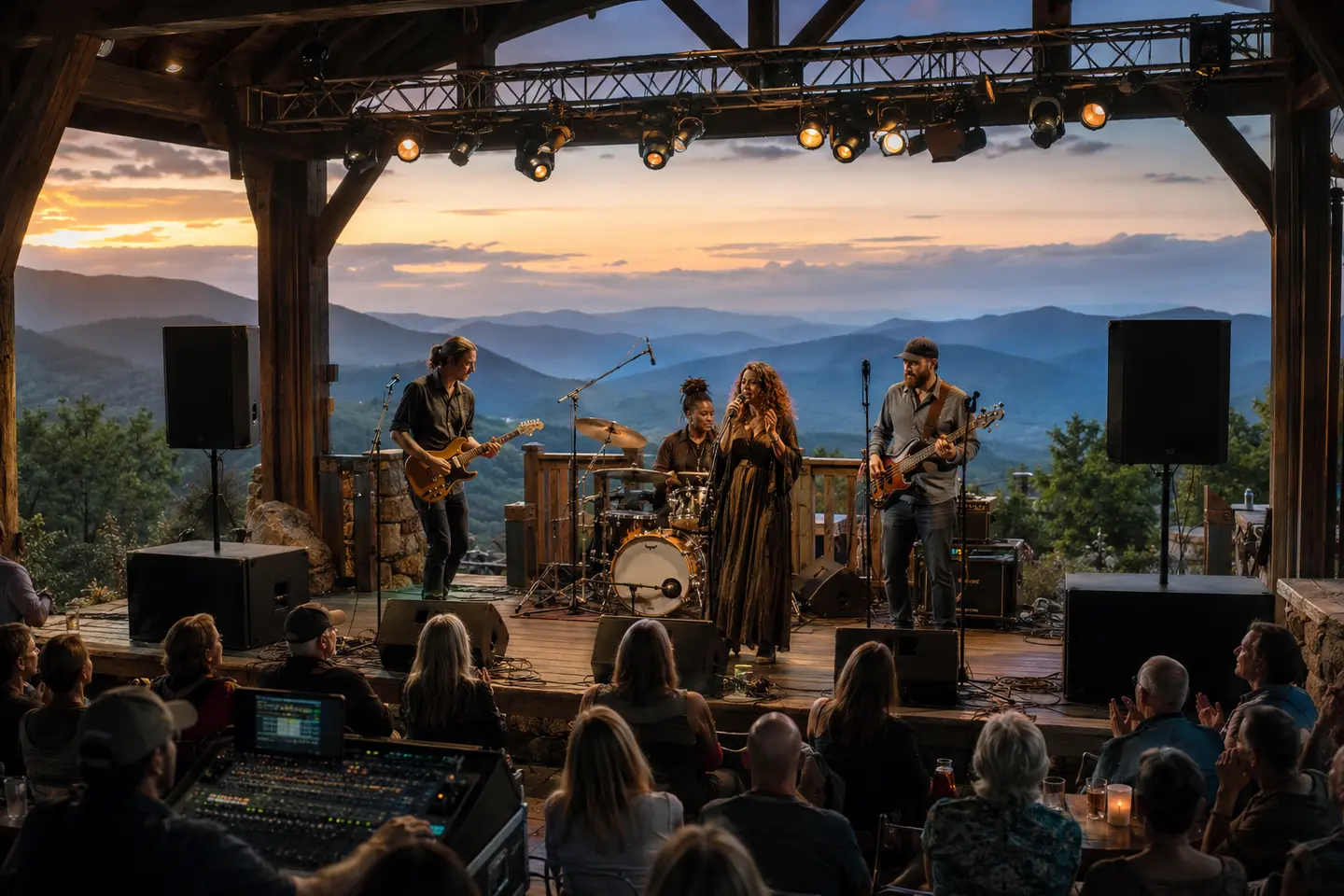
Live musicians, microphones, and a professional mixing console prepared for a Central Virginia event
Temporary church event audio

Speech and music planned as one complete signal path.

Room coverage, microphones, existing-system connections, monitors, rehearsals, accessibility, and operator roles shape a dependable church-event sound plan.

Plan your event →
Planning FAQ

Answers before event day.

Can I rent a sound system for a church service in Charlottesville?

Blue Ridge Sound can review temporary sound-system rental requests for Charlottesville-area church services and special events. Availability, equipment, delivery, setup, staffing, timing, and every inclusion are confirmed only in the written proposal after the room and program are reviewed.

What sound equipment does a church event need?

The scope depends on the room, seating, spoken word, singers, musicians, playback, existing system, indoor or outdoor setting, monitoring, accessibility needs, and operator plan. A typical review considers loudspeakers, mixer inputs, microphones, stands, cables, music connections, monitors, power, sound checks, and backups without assuming each item is required or available.

Can rental sound equipment connect to an existing church sound system?

Sometimes, but only after exact equipment, inputs, outputs, signal levels, wiring, phantom power, routing, authorization, and responsibilities are confirmed. Blue Ridge Sound does not assume an installed system can accept outside equipment, and permanent installation or repair is a separate scope.

What microphones work for pastors, readers, singers, and choirs?

The right choice depends on movement, working distance, voice or instrument, room acoustics, loudspeaker and monitor placement, wardrobe, wind, feedback margin, and available inputs. Handheld, lavalier, headset, lectern, instrument, and choir microphones serve different roles; specific models and quantities are confirmed after planning.

Can Blue Ridge Sound support an outdoor church service?

Outdoor service requests can be reviewed when the location, audience area, power, weather plan, equipment protection, sound limits, access, cable routes, setup window, and fallback decisions are provided. Outdoor service is not guaranteed until the site and written scope are confirmed.

Does church sound-system rental include an audio technician?

Only when staffed operation is listed in the proposal. Equipment-only, delivery-and-setup, sound-check support, rehearsal coverage, event operation, and strike are different service levels with different responsibilities.

How much does church sound-system rental cost in Charlottesville?

Pricing depends on the room and audience areas, program, inputs, microphones, loudspeakers, monitors, existing-system integration, indoor or outdoor conditions, access, delivery, setup, rehearsal, technician coverage, event duration, backup plan, teardown, and travel. Blue Ridge Sound confirms pricing after reviewing the complete event brief.
Get the right system on the first trip.

Send the venue and event details. Blue Ridge Sound will recommend a practical rental or staffed production scope.

Start your quote →