
Charlottesville Stage Monitor Rental

Stage monitor rental in Charlottesville for clear, controlled performer mixes.

Plan wedges, monitor mixes, mixer outputs, microphones, cabling, power, sound checks, and operation as one live-sound system.

Check availability & get a quote →Compare packages
1-business-day responseClear next steps, without pressureVenue-specific planningCoverage, power, access, and timingCentral Virginia serviceCharlottesville and surrounding communities
Service planning

Choose the complete event solution—not one disconnected item.

Stage monitors help performers hear the voices, instruments, click, playback, or cues they need onstage. A useful rental is not defined by a wedge count alone. The stage plot, input list, number of independent mixes, microphone patterns, mixer outputs, backline level, room or outdoor site, power, cabling, and operator plan all affect the scope. Blue Ridge Sound reviews those details before confirming equipment or labor for a Charlottesville or Central Virginia event.

Common uses

  • Bands and ensembles that need vocal or instrument cues onstage
  • Concerts, festivals, fundraisers, and community performances
  • Corporate or private programs with live musicians
  • Venues adding wedges to an existing compatible sound system
  • Events combining front-of-house sound and separate performer mixes
  • Organizers comparing equipment-only and staffed live-sound scopes
Scope options

What can be included.

The final proposal confirms exact equipment, quantities, labor, delivery, operation, and teardown. Nothing is assumed from a generic package name.

  • Powered or passive monitor wedges when compatible with the system design
  • One or more confirmed monitor mixes from suitable mixer outputs
  • Signal routing, stands, cabling, power, and protected cable paths
  • Microphone-pattern and wedge-placement planning
  • Line check, sound check, labeling, and practical backup planning
  • Delivery, setup, technician operation, strike, and teardown when confirmed

Define what each performer actually needs to hear

Start with the performers, not the number of loudspeakers. Ask each musician which sources are essential for pitch, timing, entrances, dynamics, and communication. A vocalist may need mostly their own voice and a small amount of keyboard; a drummer may need lead vocal, bass, and a cue track; an acoustic group may already hear much of the stage naturally. A focused mix can be easier to understand and more stable than a monitor filled with every channel.

Document the request by position: performer name or role, vocal microphone, instrument or direct input, preferred wedge location, required cues, and whether that person can share a mix. Blue Ridge Sound uses the confirmed needs to scope wedges, mixer buses, outputs, cabling, and operating labor. The related stage-monitor system design field note explains the placement and gain-before-feedback theory behind that plan.

Send a stage plot and input list before equipment is assigned

A stage plot should show performer positions, microphones, direct boxes, backline, keyboard rigs, drum locations, power, entrances, and the front edge of the stage. The input list should identify every source, connector, microphone or DI requirement, phantom-power need, playback device, and channel owner. Mark monitor positions and label requested mixes consistently on both documents.

The documents also reveal limits. A mixer with two available auxiliary outputs cannot create four independent wedge mixes without another routing plan. A house system may have connectors but no unused buses, stagebox inputs, amplifier channels, or safe cable path. Share exact model numbers and the venue contact when Blue Ridge Sound is integrating with installed equipment; compatibility is confirmed in the written scope, not assumed from a photo of an input panel.

Choose wedge quantity by mix zones, not head count alone

One wedge can sometimes serve two nearby performers who need substantially the same mix and can stand within the cabinet’s useful coverage. Separate wedges may be more practical when performers need different sources, stand far apart, face different directions, or create very different stage levels. Drums, horns, guitar cabinets, acoustic instruments, and spoken cues can change the decision.

The number of independent mixes matters as much as the number of cabinets. Two wedges carrying the same output are one mix zone; two wedges fed from different auxiliary outputs are two mixes. More mixes require more console buses, outputs, cabling, processing, setup time, and attention during the show. Blue Ridge Sound confirms both cabinet quantity and mix count after reviewing the stage, program, and equipment already in use.

Match wedges, amplification, and mixer outputs as a system

A powered monitor contains amplification and needs signal plus suitable electrical power. A passive monitor needs a compatible amplifier channel, correct wiring, and appropriate processing. Either type still depends on a mixer output, balanced signal path, gain structure, and a safe physical position. Using a full-range PA cabinet as a wedge may be possible only when its enclosure, coverage, processing, connections, power, and operating limits support that orientation.

Do not connect equipment by connector shape alone. Confirm whether an output is microphone, line, or loudspeaker level; whether a cable carries balanced signal or amplified power; and whether phantom power, adapters, or networked stageboxes are involved. The digital mixer resource covers I/O, buses, stageboxes, scenes, and redundancy, while the PA equipment guide helps place monitors inside the complete event system.

Use microphone geometry before aggressive equalization

A monitor and an open microphone form an acoustic loop. Wedge position should put useful sound at the performer while directing as little energy as practical into the microphone’s sensitive angles. Cardioid, supercardioid, and hypercardioid microphones do not share the same rejection geometry, and the practical pattern varies by frequency. Performer movement, distance from the capsule, reflective walls, a low ceiling, other wedges, and the main PA can all change the available feedback margin.

Place and aim the wedge with the actual microphone in its show position, keep the desired source close to the microphone, mute inputs that are not needed, and check the system with the other stage and audience loudspeakers active. Equalization can address a consistent narrow resonance, but it should refine a workable layout rather than compensate for poor geometry. Blue Ridge Sound’s gain-structure and feedback-prevention guide explains why placement, open channels, headroom, and disciplined routing come first.

Plan power, cables, access, and weather before load-in

Mark where power is available, who controls it, which loads share a circuit, where signal and electrical cables may cross the stage, and how those paths will be protected. Confirm stage dimensions, stairs, ramps, loading distance, door sizes, setup window, public access, and teardown deadline. Monitor positions should not block performer movement, exits, audience sightlines, or other production work.

Outdoor stages also need an organizer-approved weather plan, sheltered equipment positions, wind and rain considerations, and a named decision-maker. A cover is not a substitute for an electrical, lightning, wind, or evacuation plan. Generators, temporary distribution, staging, tents, ballast, permits, and weather monitoring are separate responsibilities unless a proposal expressly includes them. Equipment may need to be powered down or moved when conditions become unsafe.

Protect enough time for line check and performer sound check

A line check verifies that each source reaches the intended channel, main mix, and monitor bus. A performer sound check verifies whether the mix is useful at the actual position and performance level. Build the schedule around both tasks. Allow time for microphone placement, direct-box connections, monitor routing, gain settings, one mix at a time, full-band playback, scene saving, and a final check with the room or site configured as closely as practical to show conditions.

Decide who may request changes and who has authority to approve them. For a staffed system, an engineer can label buses, mute unused channels, listen to mixes, manage changes, and respond during the program. A self-serve rental requires a qualified operator who understands the mixer, routing, safe power sequence, feedback response, and shutdown process. Delivery or setup alone does not imply show operation.

Manage stage level as part of the event plan

A louder wedge is not automatically a clearer wedge. Backline, drums, mains, side fills, multiple monitors, and reflective surfaces contribute to the sound at each performer and microphone. Use the lowest practical stage level that still supports the performance, take quieter breaks during long setup periods, and monitor representative positions when level or duration may be a concern. The NIOSH Sound Level Meter app is an educational screening tool for workplace noise on supported iOS devices; event decisions may require calibrated instruments and qualified judgment.

This page provides general event-production information, not medical advice, a hearing assessment, or a guarantee that any level is safe for every person. Performers, crew, organizers, and venues should follow applicable requirements, communicate about exposure, and use suitable professional guidance and hearing-protection practices. Blue Ridge Sound’s safer live-band sound-check field note offers a broader planning framework.

Request a stage-monitor quote with the complete show details

Send the date, venue, indoor or outdoor setting, stage dimensions, access window, audience area, performance schedule, stage plot, input list, performer count, desired monitor positions, requested mix count, microphones, direct inputs, playback, backline, existing PA and mixer models, available outputs, power, weather plan, sound limits, operator preference, and teardown deadline. Include venue and band technical contacts so unanswered compatibility questions can be resolved before the proposal.

Blue Ridge Sound can consider monitor wedges as part of staffed live-band sound support, an addition to a compatible confirmed system, or a defined equipment rental with delivery and testing. Equipment models, quantities, mixes, labor, travel, setup time, operator coverage, availability, price, and inclusions are confirmed only in the written proposal. Share the stage plan and request a scoped quote.

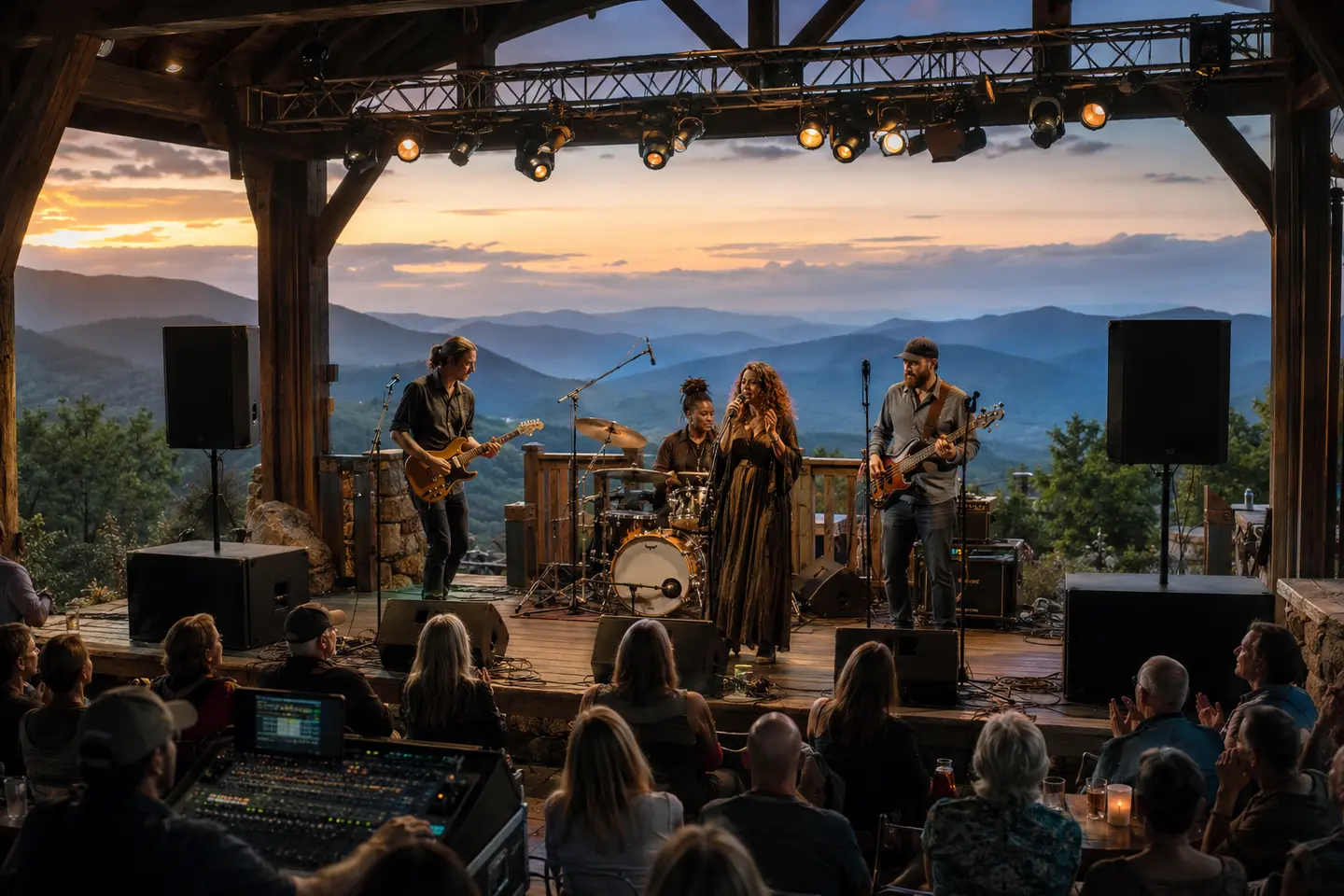
Live band performing with professional stage monitor wedges, microphones, and a mixing system at a Central Virginia venue
Performer-focused live sound

Every wedge and mix starts with a performer need.

Stage plots, inputs, monitor buses, microphone geometry, sound checks, and operation are planned as part of the complete live-sound system.

Plan your event →
Planning FAQ

Answers before event day.

What is a stage monitor?

A stage monitor is a loudspeaker aimed toward performers so they can hear selected voices, instruments, playback, or cues. It is separate from the main PA that serves the audience, although both systems may share microphones, inputs, and a mixer.

How many stage monitors does a band need?

There is no reliable number based only on band size. Performer positions, natural stage level, the sources each person needs, coverage, available mixer buses, stage space, and whether people can share a mix determine the practical wedge and mix count.

Can PA speakers be used as stage monitors?

Some full-range cabinets can operate as floor monitors when their enclosure angle, coverage, processing, connections, power, and manufacturer guidance support that use. Exact models and the complete signal path must be confirmed before the rental is scoped.

Do stage monitors need an amplifier?

Powered monitors contain amplification and need line-level signal plus suitable electrical power. Passive monitors require compatible external amplification, cabling, and processing. The proposal identifies which type is included and how it connects.

How do stage monitors connect to a mixer?

A monitor mix normally leaves a suitable mixer auxiliary or monitor output, passes through any required processing or stagebox, and feeds a powered monitor or amplifier channel. Output level, balanced cabling, routing, bus count, and connector compatibility all need confirmation.

How can feedback from stage monitors be reduced?

Useful steps include moving the desired source closer to the microphone, aiming the wedge into the microphone’s rejection region, increasing separation, muting unused microphones, lowering unnecessary stage level, improving placement, and applying careful equalization after the geometry is sound.

How much does stage monitor rental cost in Charlottesville?

Pricing depends on wedge quantity, powered or passive design, independent mix count, mixer and stagebox needs, microphones and inputs, delivery, access, setup, sound-check time, technician coverage, event duration, travel, and teardown. Blue Ridge Sound confirms price and inclusions in a written proposal.

Get the right system on the first trip.

Send the venue and event details. Blue Ridge Sound will recommend a practical rental or staffed production scope.

Start your quote →