Charlottesville Audio Mixer Rental

Audio mixer rental in Charlottesville for events that need clear routing and control.

Plan inputs, outputs, monitor mixes, playback, cabling, PA integration, sound checks, and operation as one complete event-audio system.

Check availability & get a quote →Compare packages
1-business-day responseClear next steps, without pressureVenue-specific planningCoverage, power, access, and timingCentral Virginia serviceCharlottesville and surrounding communities
Service planning

Choose the complete event solution—not one disconnected item.

An audio mixer brings microphones, instruments, playback, and other sources into one controlled signal path. Renting the console alone does not answer whether it has enough microphone preamps, buses, outputs, stagebox connections, recording paths, or an operator who understands the event. Blue Ridge Sound reviews the program, input list, venue system, coverage plan, and staffing before confirming an audio mixer rental for Charlottesville or Central Virginia.

Common uses

  • Live bands and ensembles with several microphones, instruments, or monitor mixes
  • Panels, conferences, town halls, and presentations with multiple speakers
  • Fundraisers, school programs, ceremonies, and community events
  • Venues that need a compatible mixer for an existing confirmed PA
  • Organizers comparing equipment-only and staffed audio support
  • Events that need controlled playback, announcements, and source handoffs
Scope options

What can be included.

The final proposal confirms exact equipment, quantities, labor, delivery, operation, and teardown. Nothing is assumed from a generic package name.

  • An appropriately sized analog or digital audio mixer when confirmed in the proposal
  • Input, output, bus, stagebox, playback, and monitor-routing planning
  • Compatible signal cabling, adapters, direct boxes, and protected cable paths when included
  • Connection planning for confirmed microphones, loudspeakers, monitors, and venue systems
  • Line check, sound check, labeling, scene or setting documentation, and practical backup planning
  • Delivery, setup, technician operation, strike, and teardown when expressly included

Start with the event job, not a console model

Describe what the mixer must do before comparing channel counts or brand names. List every person who will speak, every microphone, each instrument or direct input, music-playback device, presentation feed, remote caller, audience-question workflow, stage monitor mix, lobby or overflow zone, recording request, and output that must reach another vendor. A mixer is useful only when its inputs, buses, outputs, connections, and operator match that complete job.

Blue Ridge Sound scopes the mixer as part of the signal path rather than as an isolated box. A small panel in one room has different needs from a band with separate monitor mixes, a conference with walk-in music and video playback, or an outdoor program feeding several loudspeaker zones. The digital mixers for live events resource explains channels, buses, stageboxes, scenes, and redundancy in practical terms.

Build an input list with enough detail to expose hidden channels

Count physical sources, not just performers. A four-person panel may use four microphones plus a moderator, audience Q&A microphone, laptop playback, walk-in music, remote-call return, video playback, and a backup source. A drum kit may use several microphones. A stereo keyboard or playback device can occupy two channels. Direct boxes, wireless receivers, and venue feeds also need the correct input type and connector.

For each line, record the source name, connector, microphone or DI requirement, phantom-power need, mono or stereo format, responsible person, and when it appears in the program. Leave documented spare capacity for changes rather than assuming every last input can be occupied. Send model numbers and manuals for equipment supplied by performers, venues, presenters, or video teams so compatibility can be checked before the event.

Choose outputs and mix buses as carefully as inputs

Main left and right outputs are only the beginning. Separate stage monitors, a recording feed, a livestream or video feed, hearing-assistance interface, press feed, lobby zone, delay loudspeakers, backstage cue, or overflow room may each need a distinct output or bus. The destination may require microphone level, line level, analog audio, digital audio, or a networked connection, and those are not interchangeable because the connector looks familiar.

Write an output list beside the input list. Identify each destination, connector, level, mono or stereo format, mix contents, delay or processing needs, and the vendor responsible for receiving it. Blue Ridge Sound confirms available buses, physical outputs, stagebox capacity, and handoff points in the written scope. A rental does not imply every third-party system or recording workflow will connect without prior technical review.

Match analog or digital workflow to the operator and event

An analog mixer can make a straightforward signal path easy to see and adjust, but channel count, monitor sends, processing, recall, and routing may be limited. A digital mixer can provide more buses, onboard processing, scenes, remote control, and compact stagebox connections, but those capabilities require setup, file management, network planning, and an operator familiar with the interface. Neither format is automatically better for every event.

The practical choice depends on the program, operator experience, changeover speed, stage distance, monitor requirements, processing, recall needs, and compatibility with the rest of the system. When scenes are used, decide what each scene may change, apply recall-safe settings deliberately, save a known starting state, and document critical gains and routes. Blue Ridge Sound identifies the proposed workflow and operating responsibility before the date.

Confirm how the mixer connects to the complete PA

The mixer must connect correctly to microphones, wireless receivers, direct boxes, playback devices, powered loudspeakers or system processors, stage monitors, amplifiers, and any installed venue equipment. Confirm whether the loudspeakers are powered or passive, where processing occurs, which inputs and outputs are available, whether a stagebox is required, how far signals must travel, and where power is located.

Do not connect equipment by connector shape alone. XLR can carry microphone-level audio, line-level audio, digital audio, or other signals depending on the system. Loudspeaker-level connections are different from balanced line connections. If the venue owns the PA, obtain the current inventory and a technical contact. Blue Ridge Sound can plan integration only from verified equipment information and an approved handoff, not from assumptions or an unlabeled wall plate.

Set gain structure, routing, and feedback controls methodically

Begin with correct microphone placement and source level, then set input gain so useful signal is strong without clipping. Route channels only to the buses that need them, keep unused microphones muted, leave headroom for louder moments, and listen at representative audience and performer positions. Channel faders, subgroup or DCA control, bus masters, processing, and loudspeaker level all affect the result; turning up one control cannot repair a poor signal earlier in the path.

Feedback depends on the microphone, loudspeaker, room, placement, open-channel count, and gain through the system. Shure notes that moving microphones closer to the desired source, reducing unnecessary open microphones, and increasing separation from loudspeakers can improve gain before feedback. Blue Ridge Sound's gain structure and feedback prevention guide places those choices inside a repeatable sound-check process.

Treat playback, recording, and video feeds as separate technical jobs

Walk-in music, stingers, presentation audio, ceremony cues, and emergency backup playback need confirmed devices, adapters, file formats, charging, operator responsibility, and a cue list. Recording and video teams may ask for an isolated microphone, subgroup, matrix, or complete program mix. A feed that sounds appropriate in the room may not be the right balance for a camera, recorder, remote audience, or archive.

Define whether Blue Ridge Sound is supplying playback, receiving it, sending a feed, or only providing a physical connection. Identify who monitors the destination and who may approve changes. Recording, streaming, internet service, cameras, switching, post-production, permissions, and file delivery are not included unless the proposal expressly says so. A short technical rehearsal helps confirm levels, return audio, latency, and ownership before guests arrive.

Plan power, cable paths, access, and outdoor conditions

Confirm load-in time, parking, stairs, ramps, door dimensions, mixing position, stage distance, audience layout, venue restrictions, electrical access, shared circuit loads, and cable crossings. Keep signal and power paths organized, protect public crossings, preserve exits and accessible routes, and leave the operator a practical sightline and listening position. A mixer placed behind a wall or beside a loudspeaker may not provide useful control of audience sound.

Outdoor events need sheltered equipment positions, an organizer-approved weather plan, safe electrical distribution, and a named decision-maker. A cover does not make electronic equipment safe in lightning, wind-driven rain, standing water, or other hazardous conditions. Generators, temporary power distribution, tents, staging, ballast, permits, and weather monitoring remain separate responsibilities unless the written proposal specifically includes them.

Schedule a line check, sound check, and qualified operator

A line check confirms that each source reaches the intended channel and destination. A sound check tests real voices, instruments, playback, monitors, and audience coverage at representative levels. Allow time to label channels, set gains, verify phantom power, confirm polarity and routing, test every output, save settings, rehearse transitions, and check the most complicated part of the program. Rushing this work can hide mistakes until the audience is present.

Equipment-only rental requires a qualified operator who can connect the complete system, protect equipment, manage gain and feedback, respond to program changes, and shut down safely. Staffed service can include setup, testing, active mixing, cue management, and troubleshooting when confirmed. Delivery or setup alone does not mean a technician remains for the event. The proposal states the operating window and responsibility.

Request a mixer quote with the complete technical brief

Send the event date, venue, indoor or outdoor setting, audience size, room and stage dimensions, access window, program schedule, input list, stage plot, microphone and instrument details, playback sources, monitor mixes, audience Q&A, PA and loudspeaker models, stagebox needs, output feeds, power, weather plan, sound limits, rehearsal, operator preference, and teardown deadline. Include venue, band, presenter, and video contacts when their systems must connect.

Blue Ridge Sound can consider a mixer within live-band sound support, a complete sound-system rental, or a defined equipment scope integrated with compatible confirmed gear. Console type, channel count, buses, stagebox, accessories, labor, travel, event duration, availability, price, and exclusions are confirmed only in the written proposal. Share the input and output plan to request a scoped quote.

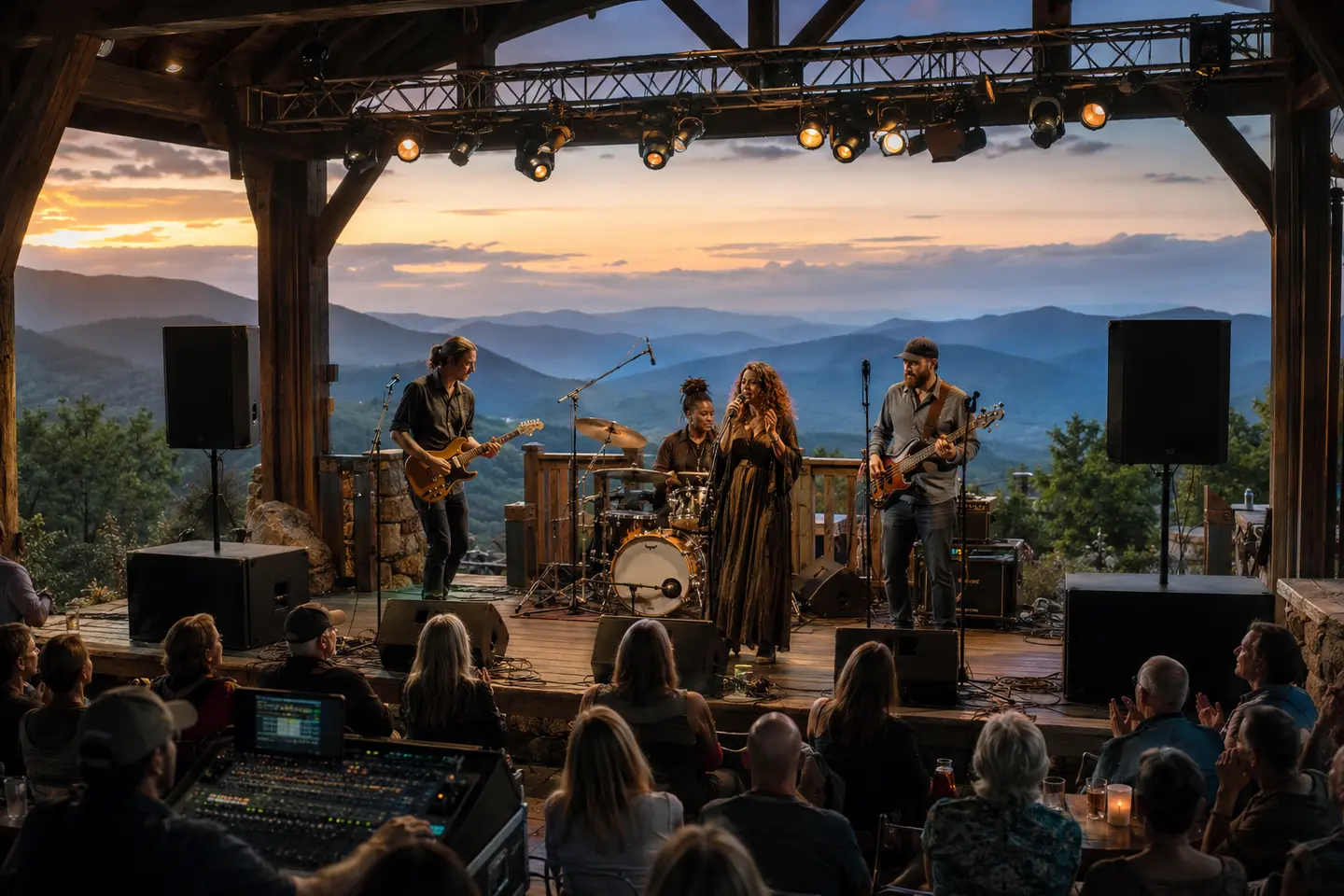
Live band performing with professional sound system and mixing equipment at a Central Virginia event
Signal flow planned end to end

Every input, output, and handoff has a job.

Channel count, buses, stageboxes, playback, monitors, PA integration, sound checks, and operation are scoped as one event-audio workflow.

Plan your event →
Planning FAQ

Answers before event day.

What does an audio mixer do?

An audio mixer receives microphones, instruments, playback, and other sources; lets an operator adjust gain, tone, dynamics, level, and routing; and sends one or more controlled mixes to loudspeakers, monitors, recorders, video systems, or other destinations.

Do I need an audio mixer for an XLR microphone?

An XLR connector alone does not answer the question, but most event microphones need a suitable microphone preamp, gain control, routing, and an output path to a PA or recorder. A mixer commonly provides those functions. Powered loudspeakers with microphone inputs can support very simple uses, but capacity and control are limited.

How many mixer channels do I need for an event?

Count every physical input, including each microphone, instrument, mono or stereo playback channel, remote caller, presentation feed, and backup source, then leave documented spare capacity. Also count the required monitor mixes and other outputs because input count alone does not define the right mixer.

Is a digital mixer better than an analog mixer?

Not automatically. Digital mixers can offer more routing, processing, scenes, remote control, and compact stagebox options. Analog mixers can be direct and familiar for simple systems. The better choice depends on the event, operator, channel and bus count, changeovers, compatibility, and backup plan.

Can a rental mixer connect to a venue's existing speakers?

Sometimes, but compatibility must be verified. The venue should provide current equipment models, available inputs, signal levels, processing details, connection points, and a technical contact. A familiar connector does not guarantee the signal, wiring, or operating responsibility is compatible.

Does audio mixer rental include setup or a sound engineer?

Only when the written proposal includes those services. A scope may be equipment-only, delivery and setup, or staffed operation. The proposal should state delivery, connection, testing, rehearsal or sound-check time, technician coverage, teardown, and responsibility for third-party systems.

How much does audio mixer rental cost in Charlottesville?

Pricing depends on the required channel and bus count, analog or digital workflow, stagebox and cabling, microphones and playback, PA integration, delivery, access, setup, sound-check time, technician coverage, event duration, travel, and teardown. Blue Ridge Sound confirms price and inclusions in a written proposal.
Get the right system on the first trip.

Send the venue and event details. Blue Ridge Sound will recommend a practical rental or staffed production scope.

Start your quote →